Payer Credentialing vs. Enrollment: Key Differences Explained

If you manage a healthcare organization, you want two things to happen fast when onboarding a medical provider: they can see patients, and your facility gets paid.
That only works when payer credentialing and enrollment are done the right way. Together, these steps determine whether a provider can deliver care under a payer plan and whether your organization can collect payment for that care.
The problem is that many confuse credentialing with enrollment. That can lead to delayed start dates, denied claims, lost revenue, and even compliance violations, such as billing for services before a provider's effective date.
This article breaks down the key differences between payer credentialing and enrollment processes. You'll also learn how to manage both with less risk.
TL;DR
- Payer credentialing reviews a provider's qualifications to deliver high-quality care under a health insurance plan.
- Payer enrollment connects the provider to the payer's billing system so they can submit claims and get paid.
- Payer credentialing usually happens before enrollment. It also takes longer to complete due to the steps involved and the documents required.
- Licentiam helps providers get licensed, credentialed, and paid faster without relying on paperwork.
What is Payer Credentialing?
Payor or payer credentialing is the process of reviewing a healthcare provider's qualifications, such as professional background, education, licensure, and clinical competence.
The goal is to evaluate whether a provider meets payer requirements, quality assurance standards, and regulatory compliance. It helps confirm the provider can safely deliver patient care under a health plan.
This review is often handled by the payer's credentialing staff or third parties that work for the payer.
Healthcare payers usually include government (through Medicare and Medicaid programs), commercial insurance companies, and self-insured employers.
The process usually takes 60 to 120 days.
Types of Payer Credentialing
There are two ways of credentialing providers:
- Direct credentialing: Healthcare providers (like doctors or hospitals) apply personally to each insurance company or payer they want to work with. They must submit application forms, prove their qualifications, and undergo a background check. Then, the payer reviews and approves the provider's application on its own.
- Delegated credentialing: This is credentialing performed by a delegated entity, such as a health system, network, independent practice association (IPA), or CVO, on behalf of the payer. The delegated entity verifies provider data, and the payer accepts the results under its oversight and approval process.
Direct credentialing can take a lot of time because you repeat the same work with each payer.
Licentiam is an AI-powered CRM that helps admin teams collect, organize, and manage the provider information needed for payer credentialing—so enrollment moves faster with fewer manual handoffs.
What is Payer Enrollment?
Payer enrollment is the process of setting up an approved provider or organization in a payer's system so they can get paid.
It links the provider to the right tax ID, practice location, and billing details. It also configures key items, such as payer IDs, portal access, and payment and remittance settings.
In other words, enrollment allows organizations to begin billing and receive reimbursements for services rendered to insurance plan members after they're officially enrolled in the payer network.
An enrollment application is usually handled by the payer's provider enrollment or provider data team.
Within your organization, it's often owned by revenue cycle management (RCM) teams or billing staff.
Proper payer enrollment matters because it connects your providers to a healthcare network and supports faster claims. If enrollment is missing or wrong, you can see denied claims, delayed payment, and billing rework.
It happens after credentialing and adds another 30-180 days per payer.
Payer Credentialing vs. Enrollment: 4 Key Differences
Payer credentialing and enrollment work together, but they serve distinct needs. Here's a detailed breakdown of their main differences:
1. Purpose
Payer credentialing focuses on the provider's background and their ability to deliver quality care. It verifies that a provider meets regulatory standards to participate in the insurance company's network.
The payer checks education, training, licenses, board certifications, malpractice history, and other provider information. This review ensures that the healthcare professional is clinically competent and meets credentialing requirements before they start practice.
On the other hand, payer enrollment establishes a financial and contractual relationship between payers (e.g., insurance companies or government entities) and the provider.
Enrollment connects the healthcare provider to the right billing entity, locations, and services. It also sets up the details needed for claims, payment, remittance, and reimbursement.
In short, credentialing approves the provider to participate in an insurance program. Enrollment sets the provider up to get paid.
2. Timing
Payer credentialing usually happens prior to enrollment.
A payer must first approve the provider before it will allow billing setup. If credentialing is not complete, enrollment often stalls or gets rejected.
Here's a sample sequence:
- Providers submit their application and credentials to the payer.
- Credentialing specialists or third-party organizations hired by the payer validate provider data and qualifications.
- Healthcare providers wait for credentialing review and approval.
- Once credentials are approved, the provider enrollment process begins. This involves gathering documentation, completing payer-specific forms, and submitting payer requirements.
- Payers confirm credentialing status, finalize contracting and effective dates, assign provider or payer IDs, and complete billing setup.
- Healthcare providers can start billing for services rendered.
3. Required Documentation
Payer credentialing calls for records that prove a provider's medical background and ability to practice. Payers review the following items through primary source verification:
- Proof of identity
- Education and training history
- State licenses
- Board certifications
- NPI (National Provider Identifier) number
- DEA (Drug Enforcement Administration) registration
- Work history
- Hospital privileges
- Malpractice claims history
- Peer references
- OIG and SAM exclusion and sanctions checks
Payer enrollment requires a different set of documents. The focus shifts from the provider's background to billing and payment setup. Common enrollment items include:
- Payer enrollment applications
- Tax ID and W-9 forms
- CAQH (Council for Affordable Quality Healthcare) profile
- EFT (Electronic Funds Transfer) and ERA (Electronic Remittance Advice) forms
- Proof of malpractice insurance coverage
- Practice and service location details
4. Process Duration
Payer credentialing usually takes longer than enrollment.
Credentialing is a multi-step process that involves primary source checks and thorough credential reviews. After initial verification, the provider data and file go to the Credentialing Committee for approval.
The entire process often takes 60-120+ days, and some can take longer if documents are missing or follow-ups are delayed.
Payer enrollment is often faster once credentialing is approved. It only focuses on data entry, payer forms, and billing setup.
Many enrollments are often complete within 30-180 days, although exact timelines vary by payer and plan type.
In most cases, payer credentialing lasts longer and drives the overall schedule. When it runs late, enrollment and billing also face delays.
Common Challenges in Credentialing and Payer Enrollment
Managing enrollment and credentialing isn't as straightforward as it seems. Below are the difficulties you may encounter:
- Data silos: Data spread across systems leads to mismatched provider numbers, addresses, and specialties. That causes rework and longer review cycles.
- Application and renewal deadlines: Payers have strict due dates for new files, recredentialing, and updates. Miss a deadline, and you may get rejected or trigger a resubmission.
- Compliance audits: Payers and regulators can request proof of checks, approvals, and ongoing compliance. Incomplete records due to poor provider data management can lead to failed audits.
- Document management: Credentialing and enrollment require lots of files. If your team can't find the latest license, malpractice page, or W-9 form, submissions face unnecessary delays.
- Manual processes: Status checks, follow-ups, and form updates often happen by phone, email, and spreadsheets. That manual work leads to missed important messages or deadlines.
- Lack of scalability: Adding new providers and locations means more payers, forms, and updates to track. Without solid tools and clear owners, the entire process quickly breaks down.
Licentiam addresses these challenges by streamlining credentialing and enrollment workflows using an AI-powered CRM. It features a secure document repository, audit-ready reports, and license tracking, with automation capabilities rolling out in phases to cut down manual work.
Best Practices for Managing Payer Credentialing and Enrollment
Implementing the best practices below helps you onboard providers and get paid faster.
Centralize Documentation
Store every file in a single shared system with clear naming rules and version control policies.
Keep licenses, board certifications, malpractice insurance, W-9s, CAQH attestations, and payer forms tied to the provider profile.
Limit access by role to ensure data security, but keep it easy for your team to find what they need.
Develop Standard Operating Procedures (SOPs)
Write SOPs that determine who owns each step, what "done" looks like, and when to escalate. Include checklists for new hires, location changes, revalidations, and recredentialing.
Standardize how you collect provider history, explain gaps, and answer payer follow-ups. Then, set internal due dates that come before payer due dates.
Don't forget to add a quality check step before submission to catch missing items early.
Strong SOPs help you maintain regulatory compliance and reduce mistakes when staff changes or workload rises.
Automate Workflows
Use automation to assign tasks, send reminders, and move files forward without constant follow-up or manual oversight. Less paperwork to manage means lower chances of provider burnout.
Set up a workflow that tracks each payer application from start to finish, including submission dates, missing items, follow-up notes, and next steps.
Monitor enrollment status the same way. This lets you see when a provider is approved, when effective dates are active, and when billing setup is complete.
Automation speeds up the verification and onboarding process for healthcare professionals. It also accelerates time to revenue.
Invest in Credentialing Software
To automate workflows, you need to choose the right medical credentialing software.
Look for tools that support primary source verification, background checks, document storage, reminders, and reporting across all providers and locations.
Other features to consider include role-based access, audit logs, automated notifications, and OIG exclusion monitoring.
Invest in software that you can seamlessly integrate with your existing systems to reduce manual work and eliminate data silos.
Streamline Payer Credentialing and Enrollment With Licentiam
Licentiam streamlines credentialing and payer enrollment workflows across all 50 states and U.S. territories. Think of it as the "TurboTax for healthcare licensing and credentialing."
The platform runs on Licentiam Vault CRM and uses AI agents. It replaces paper-heavy, manual processes with scalable software to save valuable time, reduce compliance risks, and accelerate time to revenue.
Licentiam features a secure document repository, license tracking, OIG exclusion monitoring, configurable reminders, and audit-ready reporting.
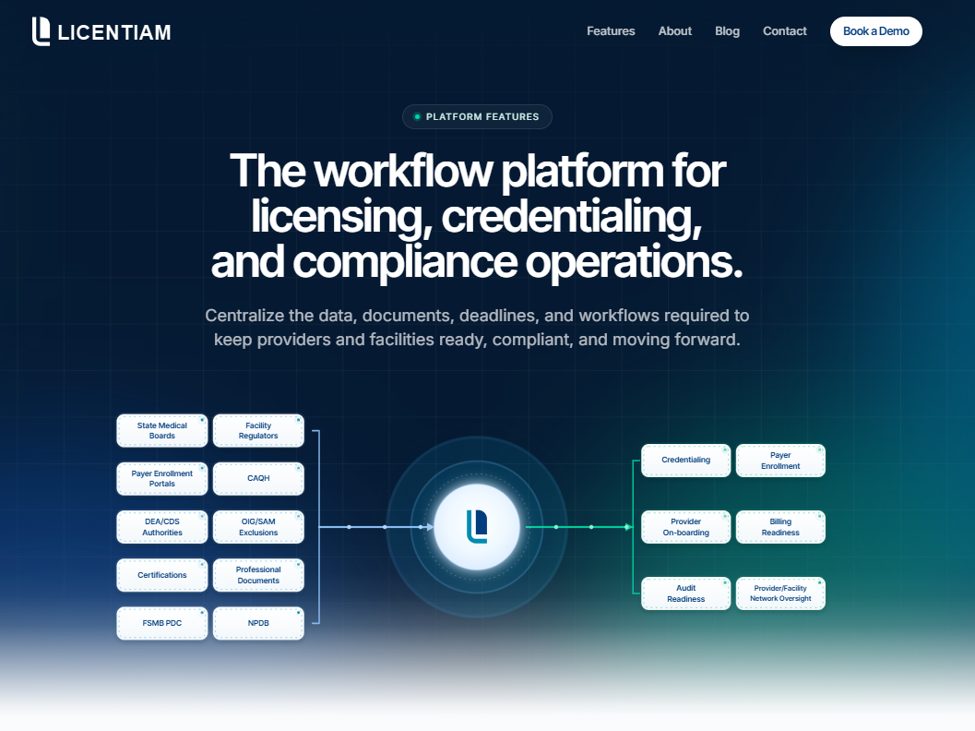
Plus, AI-assisted automation is being introduced in phases to eliminate manual work and reduce the need for spreadsheets.
More than a technology company, Licentiam provides access to experts in medical licensing and credentialing. They put their network, knowledge, and experience to work for you.
In fact, Licentiam helped a client save an aggregate of 3,500 admin hours in 6 months. They use both AI-powered technology and hands-on service to validate professional licenses and credentials for multiple providers.
Request a demo today to simplify credentialing and improve your bottom line!
Frequently Asked Questions
What are the three types of credentialing?
The three main types of healthcare credentialing are: payer or health plan credentialing, hospital or health system credentialing and privileging, and facility or site credentialing.
Payer credentialing is the health plan's review to approve a provider for participation in its network. Hospital or health system credentialing and privileging evaluate a provider's qualifications and grant permission to practice specific services within a hospital or health system. Facility or site credentialing approves a location, such as a clinic or hospital, to participate in a payer's network.
What is billing credentialing?
"Billing credentialing" is an informal term often used to describe a combination of payer credentialing and provider enrollment steps. It typically includes application forms, tax details, contracting, and payment setup, with the goal of getting a provider approved and able to bill insurance plans.
What is a credentialing process?
A credentialing process is a set of steps used to confirm a provider's background. Payers or organizations review state licenses, education, training, work history, and malpractice details. They also check for sanctions or exclusions. The process ends with an approval or denial decision.
What's the difference between credentialing and provider enrollment?
Credentialing reviews a provider's background and approves them to treat members under a payer plan. Provider enrollment sets up the provider in the payer's system to ensure they can receive payment or reimbursement.